Information Technology
Software Consulting

 Barcode Print / Monitor
freeware
for Microsoft Windows
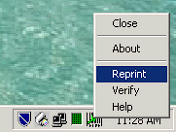
This software app installs itself as an icon, in the Windows
System Tray. Once installed and started for the first time,
this app will auto-start on boot-up.

Uses the "InBox - OutBox" principle; monitors an "InBox" folder
for a predefined name text file. Once such file is "posted"
it moves the file into the "OutBox" folder and runs a command
(with command line parameters) that you have pre-set.
The "Data" parameter (the barcode value) is read from the
"posted" text file. Once the label is printed this data file
is deleted from the "OutBox" allowing for another such sequence
of events to re-occur.
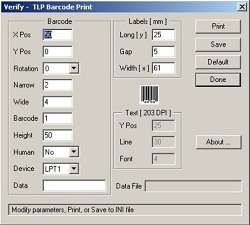
The Print operation (barcode value with date and time) is
logged in a text log file, which may be used for auditing
or for reprint purposes.
A right hand click on the app's icon offers a menu with a number
of "configurable" selections, as well as the standard "About"
and "Close". Selecting "Close" will terminate this program.
This app could be used as is, or if needed it could be further
developed to suit your needs.